Mixes color1 and color2 channel-by-channel in linear RGB space,
amount of the way from color1 to color2 (amount = 0 returns
color1 unchanged, amount = 1 returns color2). Unlike
palette_gradient() (which interpolates through a sequence of
colours to produce a longer palette), color_mix() blends two
same-length (or recyclable) vectors pointwise – useful for tinting an
existing palette toward a shared accent colour. As with
palette_gradient()'s own space argument, space = "Lab" blends
perceptually more evenly than "rgb", particularly for color1/
color2 pairs far apart in hue (a plain RGB blend of two saturated,
near-complementary colours often passes through a dull, muddy
midpoint that a Lab blend avoids) – but unlike "rgb", which always
stays in gamut by construction, a "Lab" blend's midpoint can
occasionally land just outside the representable sRGB gamut; this is
clipped back into [0, 1] per channel rather than erroring.
Usage
color_mix(color1, color2, amount = 0.5, space = c("rgb", "Lab"))Arguments
- color1, color2
Character vectors of colours, recycled against each other and against
amount.- amount
A numeric vector, each in
[0, 1], recycled againstcolor1/color2: the proportion ofcolor2in the blend.- space
The colour space the blend happens in:
"rgb"(the default) linearly interpolates raw RGB channels;"Lab"interpolates in CIE Lab space instead, viagrDevices::convertColor().
Value
A character vector of hex colour strings, the same length as
the longest of color1/color2/amount.
See also
Other color helpers:
color_alpha(),
color_greyscale(),
color_invert(),
color_jitter(),
color_lighten(),
color_rotate_hue(),
color_saturate()
Examples
color_mix("steelblue", "tomato", amount = 0.5)
#> [1] "#A3727E"
color_mix(palette_manual(index = 1), "white", amount = 0.3)
#> [1] "#7093AD" "#AACFE4" "#6D7F8A" "#F9C66C" "#F6935E"
color_mix("tomato", "seagreen", amount = 0.5, space = "Lab")
#> [1] "#A9814F"
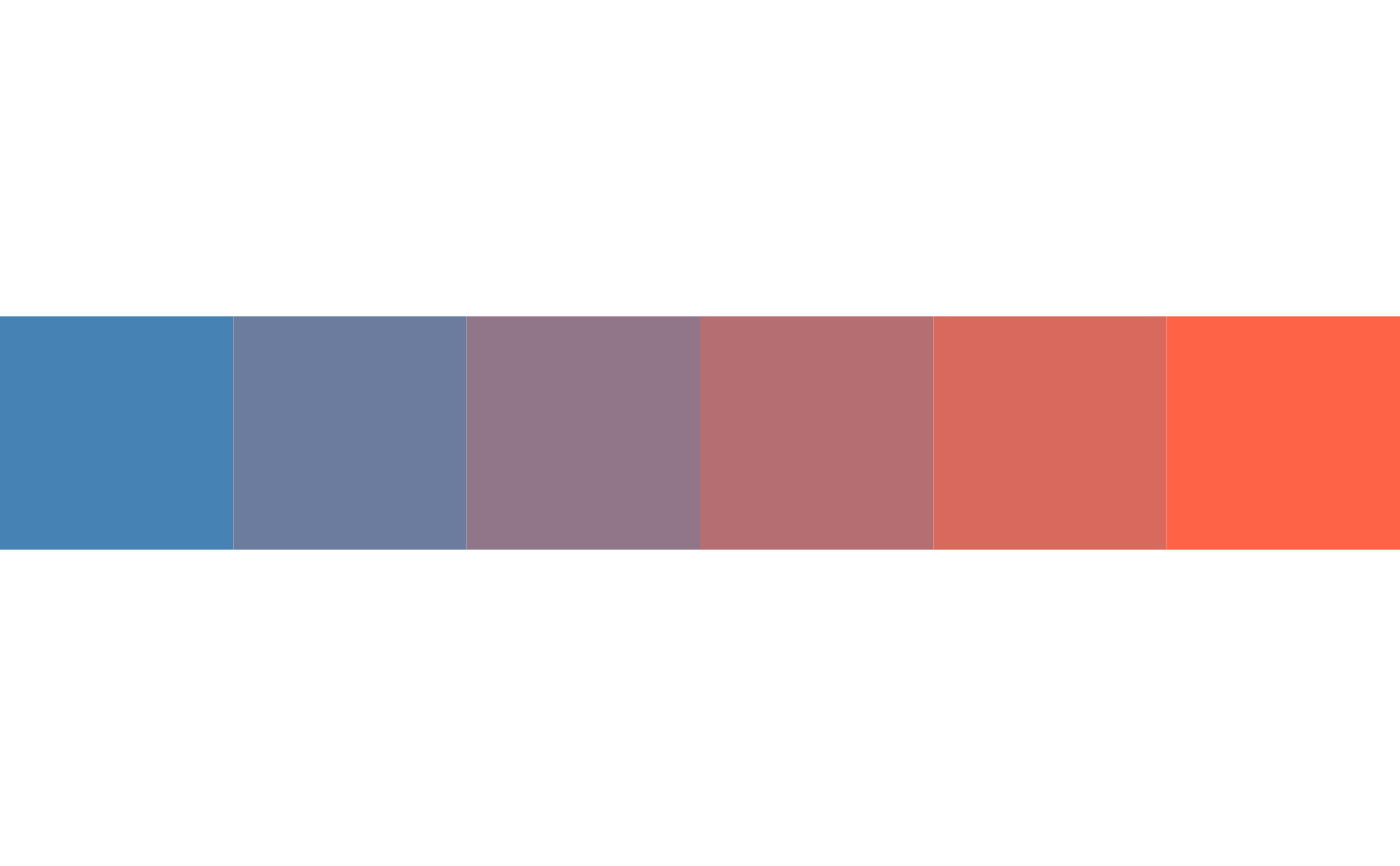
draw(effect_swatch(color = color_mix("steelblue", "tomato", amount = seq(0, 1, 0.2))))